
What we build
AI systems, automations and software built around how your team really works. Each one checks itself twice and hands the decision to a person.

Built from your own documents
Drawings, price lists and records go in. A checked list, report or tool comes out.
Civil engineering
From a drawing set to a checked bill of quantities
Oxxera Civil BOQ reads the whole set. It measures footings, columns, beams, walls and finishes from the drawn geometry, and takes sizes and rules from the schedules and notes.
- Earthworks, concrete, reinforcement, masonry and finishes in one BOQ
- Sheets must agree: counts, sizes, levels and dimensions are checked across them
- A wrong printed scale, or a schedule that disagrees with its plan, stops the run
- Every line explains how it was measured and how sure the tool is
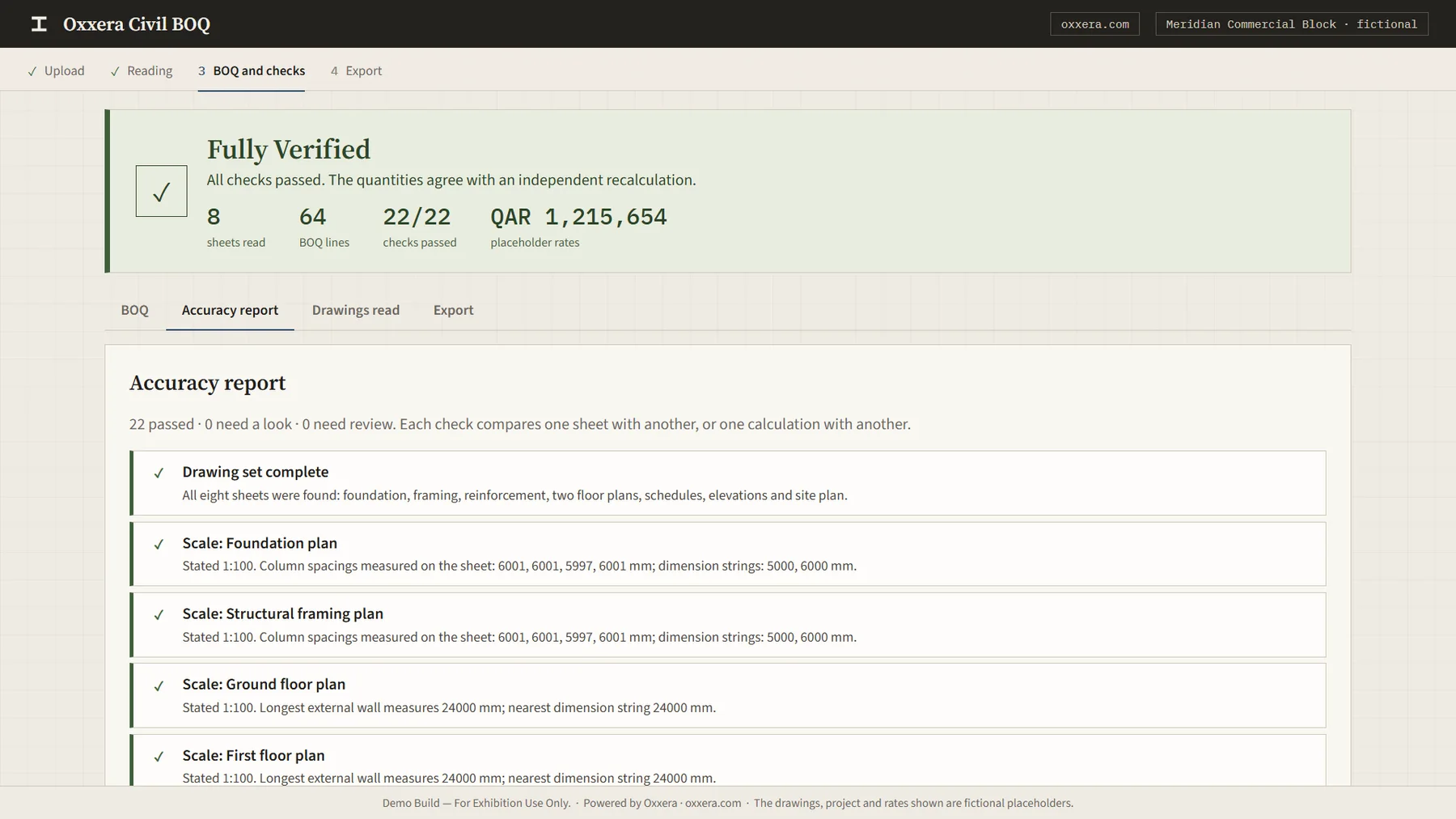
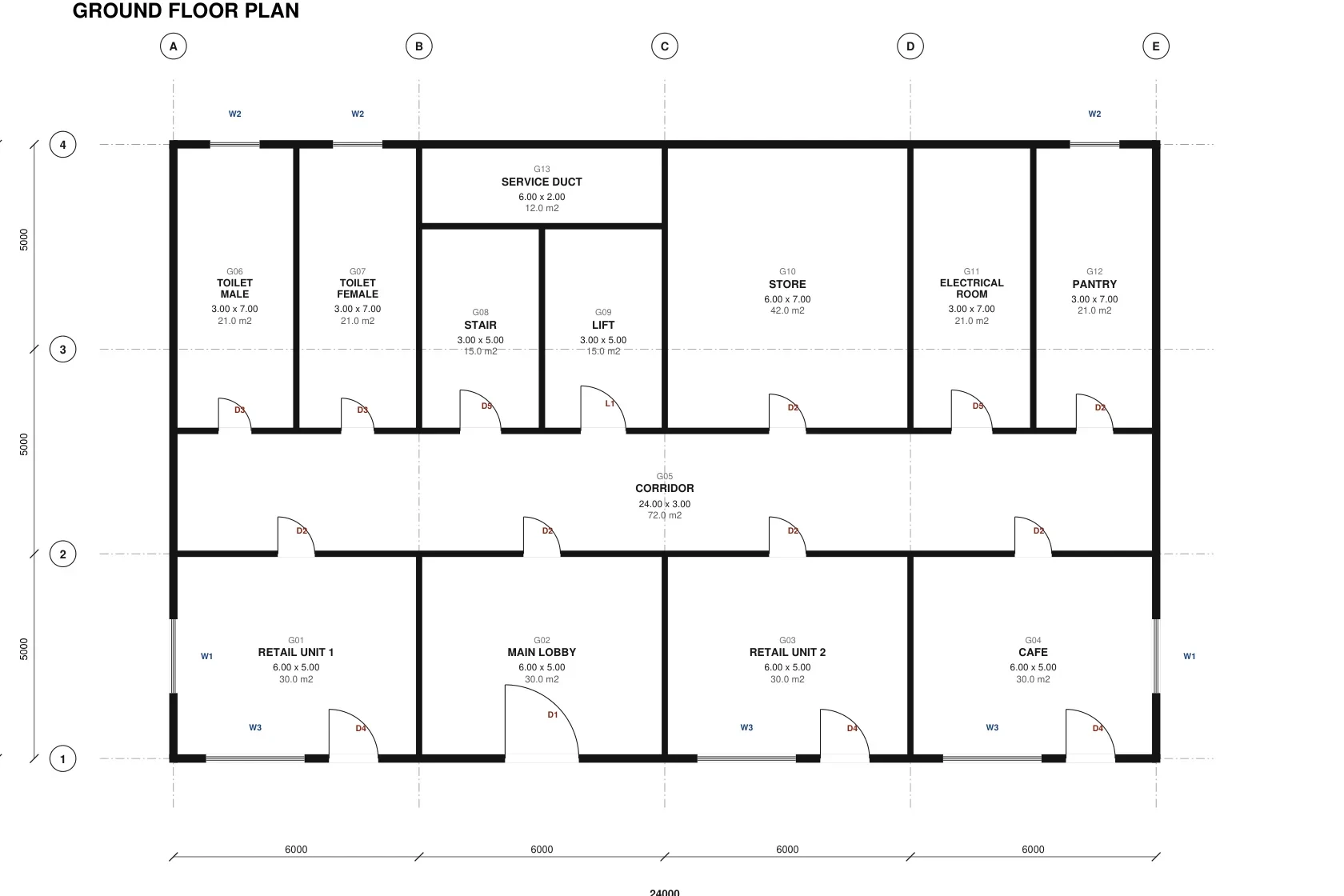
Drag to compare. It also plays on its own. Sample on a fictional project.
Typical jobs
- Quantities from drawing sets
- Revisions re-run, with the changes shown
- Sheets cross-checked against each other
- A BOQ in Excel, in your template once mapped in a pilot
Interior design
Take the finishes off the floor plan
Oxxera Interior Design AI reads a vector floor plan, measures each room and drafts the finish quantities: floors, skirting, wall paint, ceilings and joinery. Every quantity is labelled measured, calculated or estimated.
- Rooms and areas measured from the drawing
- Finish take-off labelled measured, calculated or estimated
- A proposal PDF and a revision tracker for the client conversation
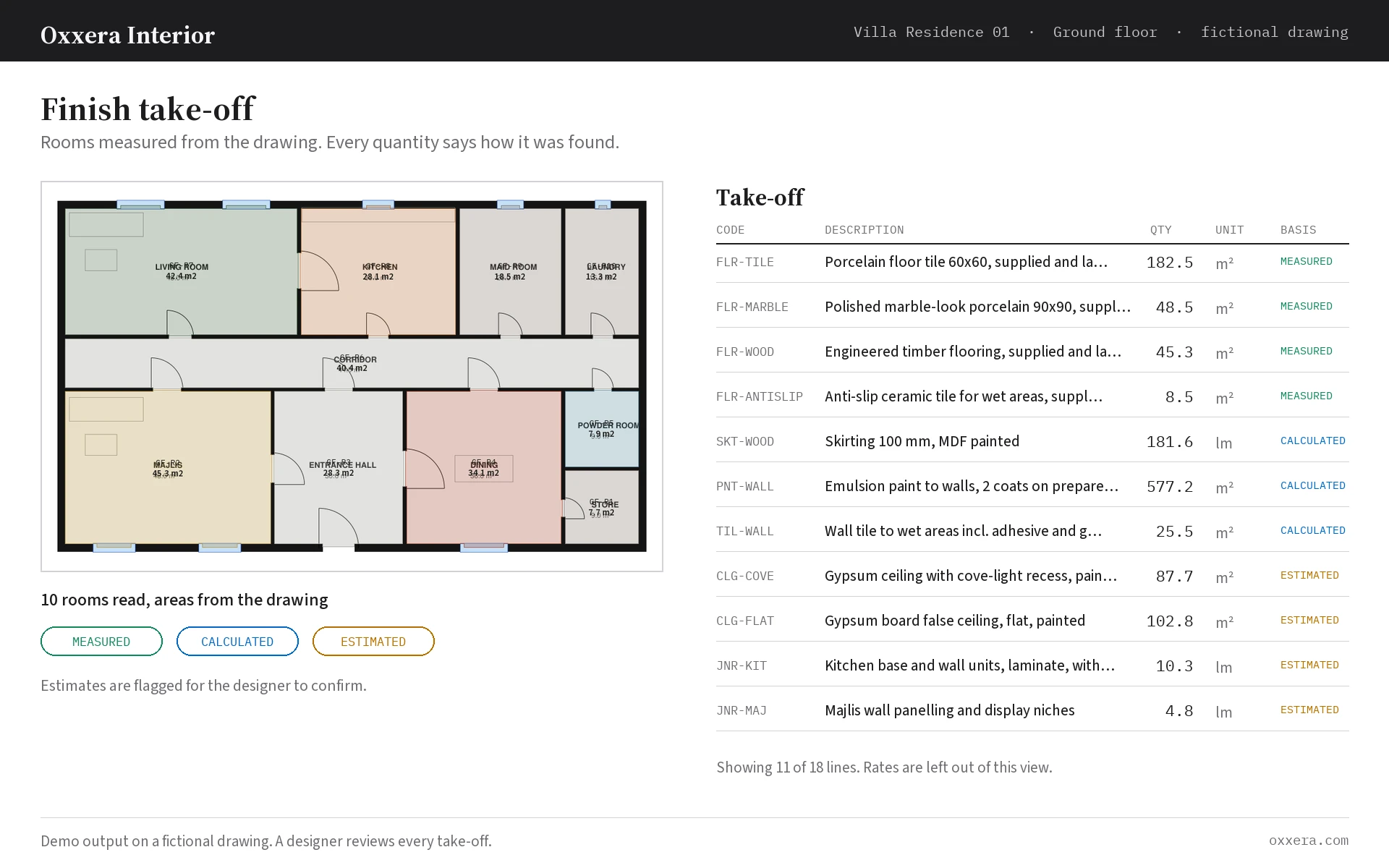
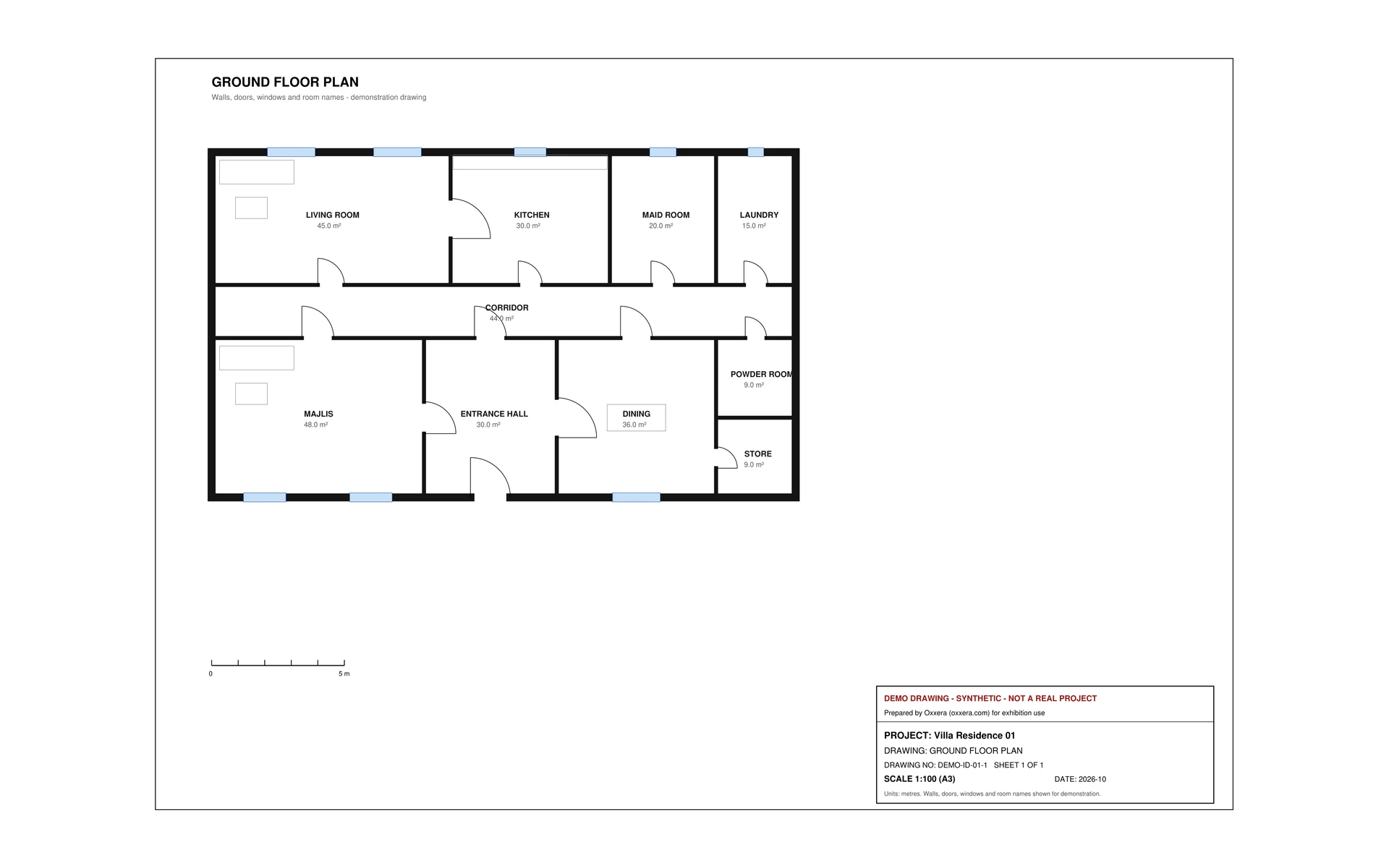
Drag to compare. It also plays on its own. Sample on a fictional project.
Typical jobs
- Rooms and areas measured from the plan
- Finish quantities labelled measured or estimated
- A proposal PDF for the client
- Revisions that redraw only what changed
CCTV & security
A camera plan and BOQ from a floor plan, with the rule behind every camera
Oxxera BOQ Intelligence reads a CAD-exported or scanned floor plan: walls, doors, rooms, scale and room names. An AI on the laptop suggests the building type and shows its evidence. You confirm it.
- Scale checked three ways. A wrong-scale sheet is stopped, not guessed
- Every number calculated twice by separate routines, then compared
- Anything below the confidence threshold goes to a person
- BOQ in Excel and PDF, with an accuracy report
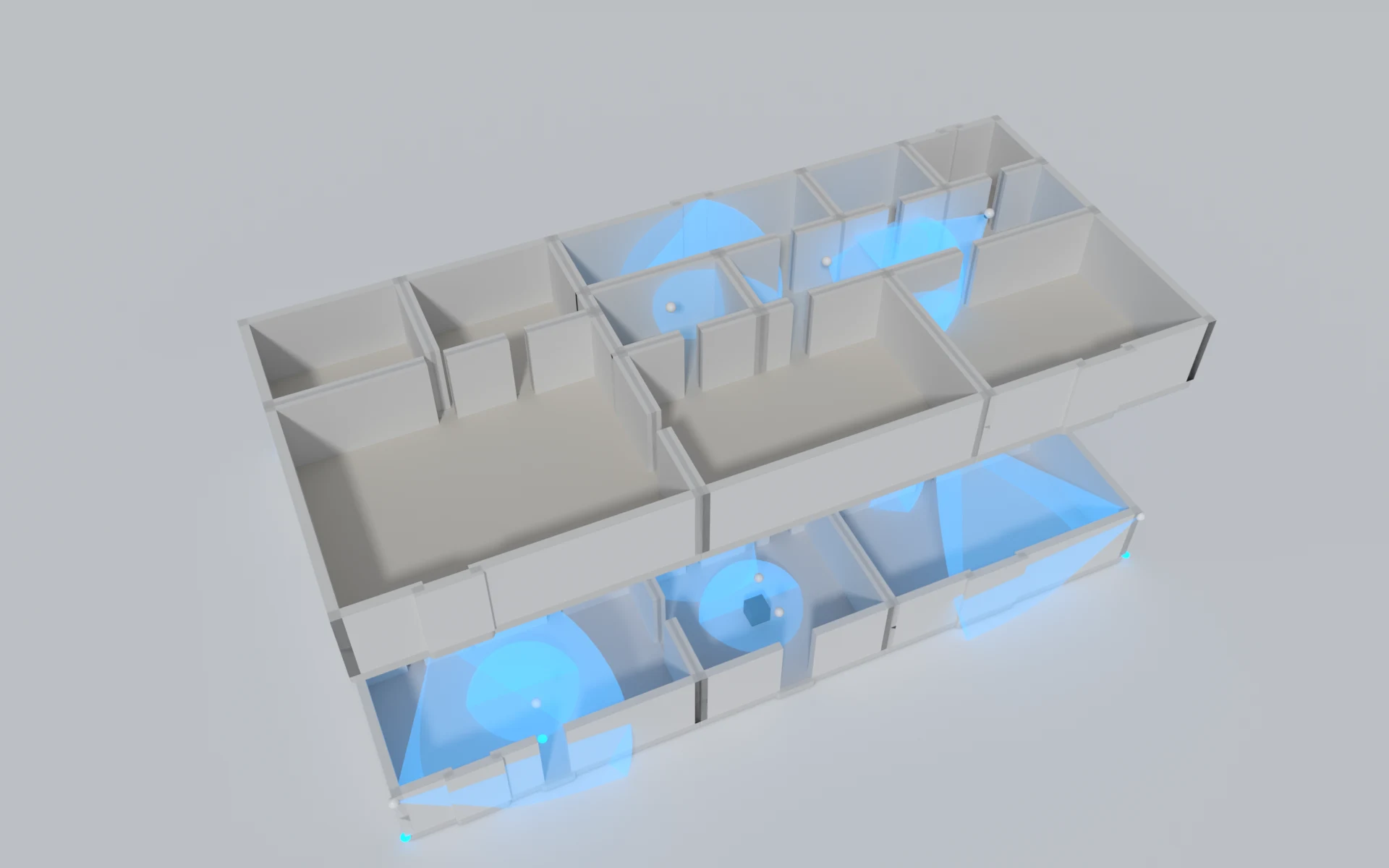
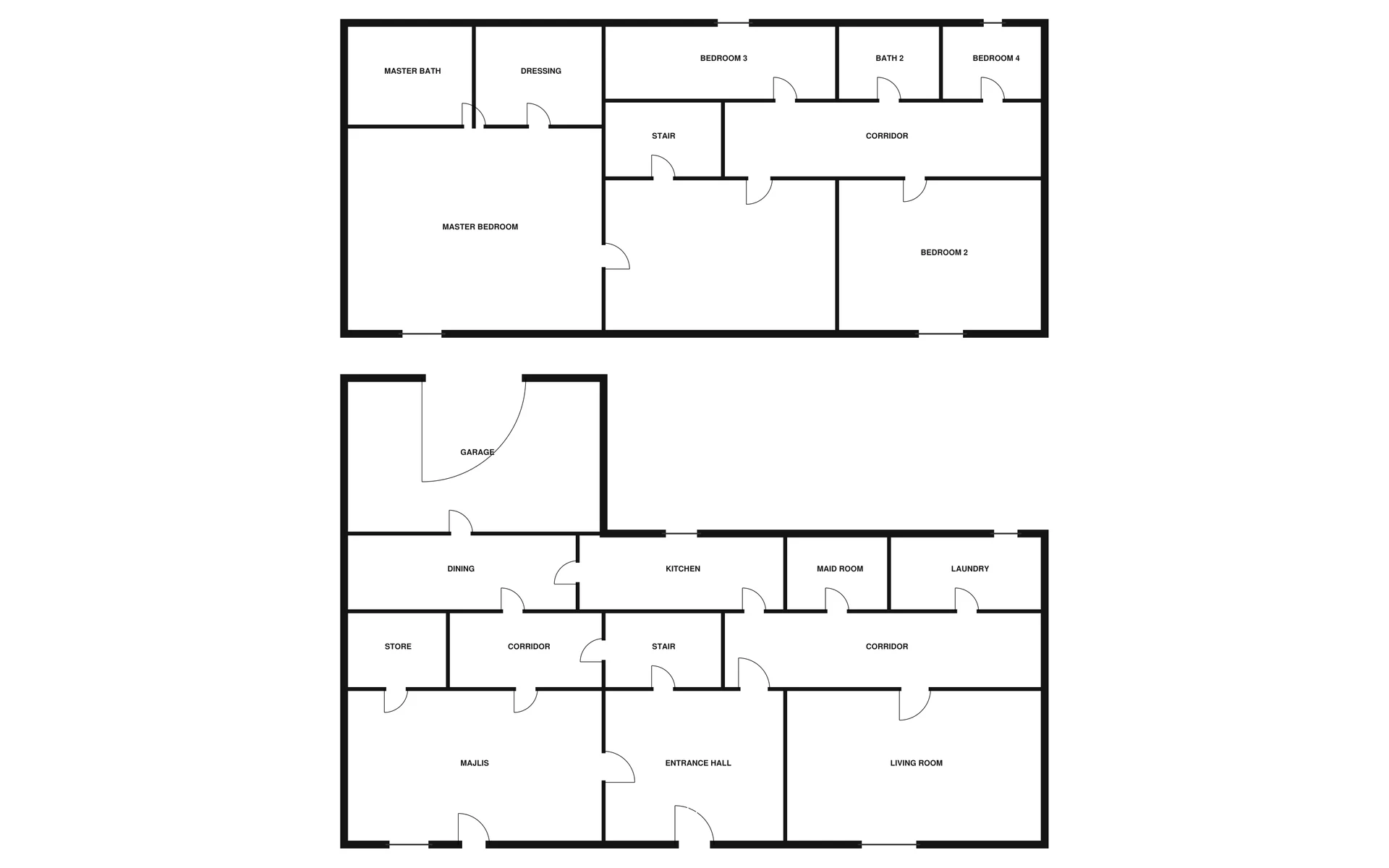
Illustration for a fictional villa: the cameras and the area each one covers. 3D views are not part of the demo yet. Drag to compare. It also plays on its own. Sample on a fictional project.
Typical jobs
- Camera plans from floor plans
- Coverage areas drawn on the plan
- Rule checks pinned to the drawing
- BOQ: cameras, recorders, storage, cable
Checks against your rules
Your standards, checked on every job
Most teams have written rules that only get checked when someone has time. We turn them into checks that run every time, and every result points to the line it came from.
- Your own checklist, written down once
- Each finding cites the page, drawing or clause
- A person decides every flagged item
A contract, checked against your standard terms
Page 6, clause 8.2 says 6 months. Your standard says 12.
2 to check. Click a line to see where it came from.
Typical jobs
- Tender and specification checks against your clauses
- Drawings checked against your written standards
- Contracts compared with your standard terms, clause by clause
- A pass, a flag or a question for every item, with a person deciding
Dashboards & reporting
Reports your whole team can click through
We connect the tools you already use and build Power BI reports that refresh themselves, with the definitions written down so everyone reads the same number.
- Power BI dashboards that refresh on their own
- A plain-language weekly summary
- Definitions written down, so everyone reads the same number
Sales and cash performance
A made-up company · Refreshed every morning at 6:00
Overview
Revenue
5,281
Orders
3,086
Average order
1,711
Gross margin
29.0%
Paid on time
88%
Revenue against target
Revenue by branch
Revenue by product line
Against the year's target
5,281 / 5,308
Gross margin and paid on time
Typical jobs
- Sales and enquiry tracking by source
- Project and site progress against plan
- Finance and cash views for the owner
- A dashboard for each manager
Agents & automation
Assistants that take the routine requests off your day
They work inside the tools you already use, and a person approves the decisions that matter.
- Can be built to work with Outlook, Excel, Odoo and WhatsApp
- Every action logged, nothing sent outside your rules
- Change it or switch it off at any time
- EmailQuote request from a new customerDrafted, waiting for you
- WhatsAppWhere is my order 318?Drafted, waiting for you
- ExcelWeekly report is dueDrafted, waiting for you
Typical jobs
- Routine emails and WhatsApp messages sorted and answered
- Orders raised and Odoo or Excel updated from a request
- Approvals chased and reminders sent
- The weekly report ready before Sunday starts
Documents & knowledge
Documents read for you, and answers from your own files
We read invoices, contracts and forms in Arabic and English, check them against your rules and file them. A private assistant answers from your own files and shows where it found the answer. Arabic is tested on your own samples first.
- Doubtful items go to a person, with the reason
- A private assistant that cites the page
- Can be scoped to run on your own computers if your data cannot leave
2 Matched1 Needs you
Typical jobs
- Supplier invoices matched to purchase orders
- Contracts compared against your standard clauses
- Forms and applications read into your system
- Ask-your-files for policies, manuals and past projects
Questions people ask us
Do we have to replace any of our systems?
No. We build on the tools you already use, such as Outlook, Excel, SharePoint, Odoo and Power BI, and connect them. Your team keeps working where they work today.
Where does our data go?
Wherever you decide, and we scope it with you. Options we can look at include a private cloud, an in-country region, or models running on your own hardware, so sensitive drawings and documents stay under your control.
Does it work in Arabic?
Arabic and English are part of the brief from the start for documents, messages and reports. Before we promise anything, we test on your own Arabic samples in the pilot.
What happens when the AI gets something wrong?
Every system carries a confidence threshold, and anything below it goes to a person. Approval steps sit wherever a mistake would be costly, and every action is logged so it can be traced, and undone where the system allows.
How soon will we see something working?
The pilot runs on your real files, so you see the system working on your own work before you commit to anything larger.
What does it cost?
We do not publish rates, because every engagement is scoped to the work involved. The first step is a conversation, and you get a clear written quote after it.
Send one drawing for a free sample BOQ in 3 working days (first 20 plans), or book a free 30-minute demo. No slides.